Source-verified system documentation

SleepEdit Architecture and Workflows

Read the diagrams in sequence: begin with the system boundary, follow the clinician-facing workflows, review the AI privacy boundary, then move through administration and desktop deployment.

  1. System architecture
  2. Sleep-note authoring
  3. Medication tool
  4. Protocol viewer
  5. AI assistant
  6. Protocol administration
  7. Shared settings
  8. Desktop setup

Foundation

Start with the hosts, shared application, persistence boundaries, and optional integrations that frame every detailed workflow below.

1

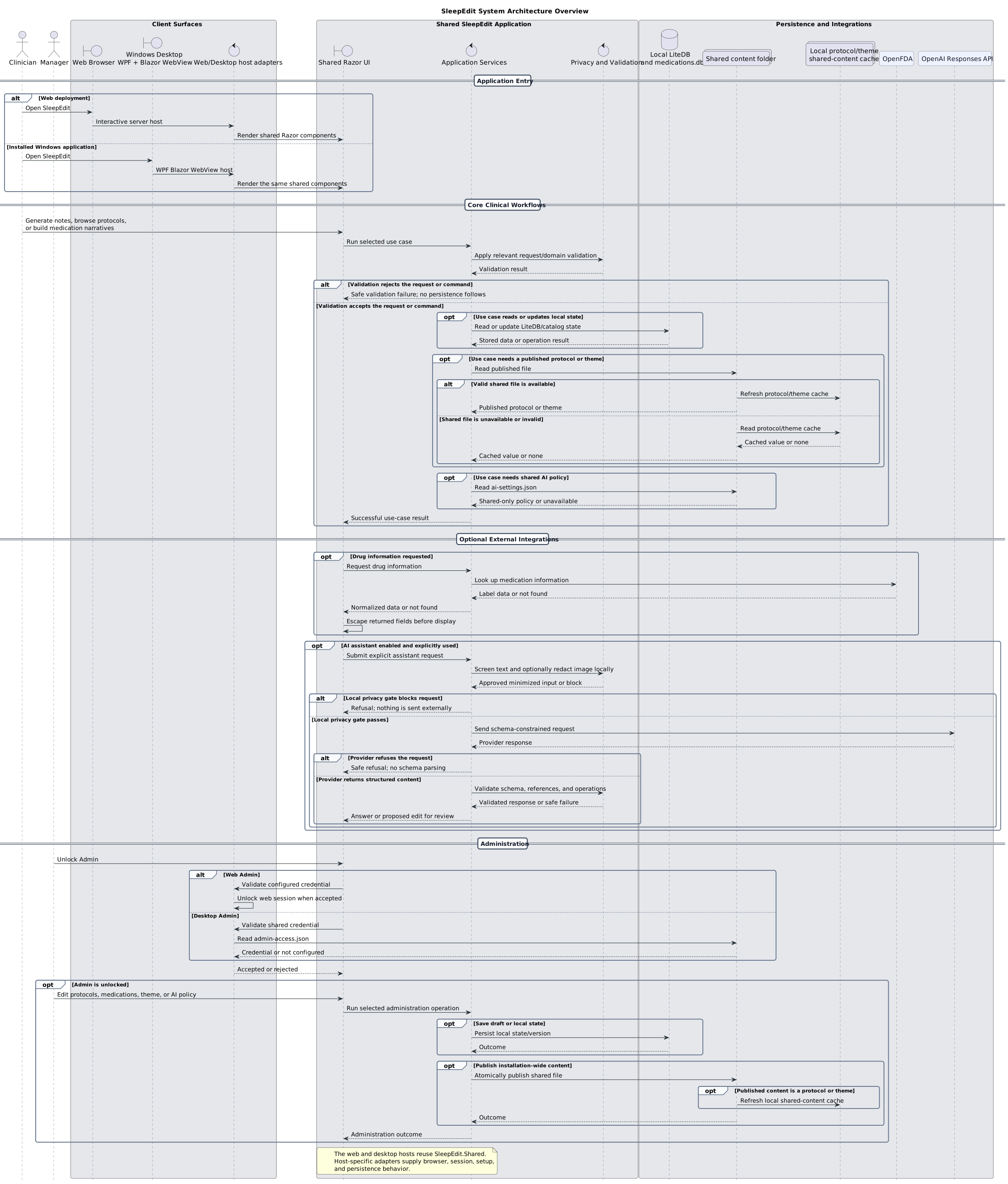
System architecture overview

Web and Windows hosts reuse the same shared UI and application services while supplying host-specific adapters.
Open full-size SVG
SleepEdit system architecture sequence diagram
Application entry, core clinical services, external integrations, storage, and administration boundaries.

Clinician workflows

These flows show how clinicians author notes, add catalog-backed medication narratives, and use published protocols.

2

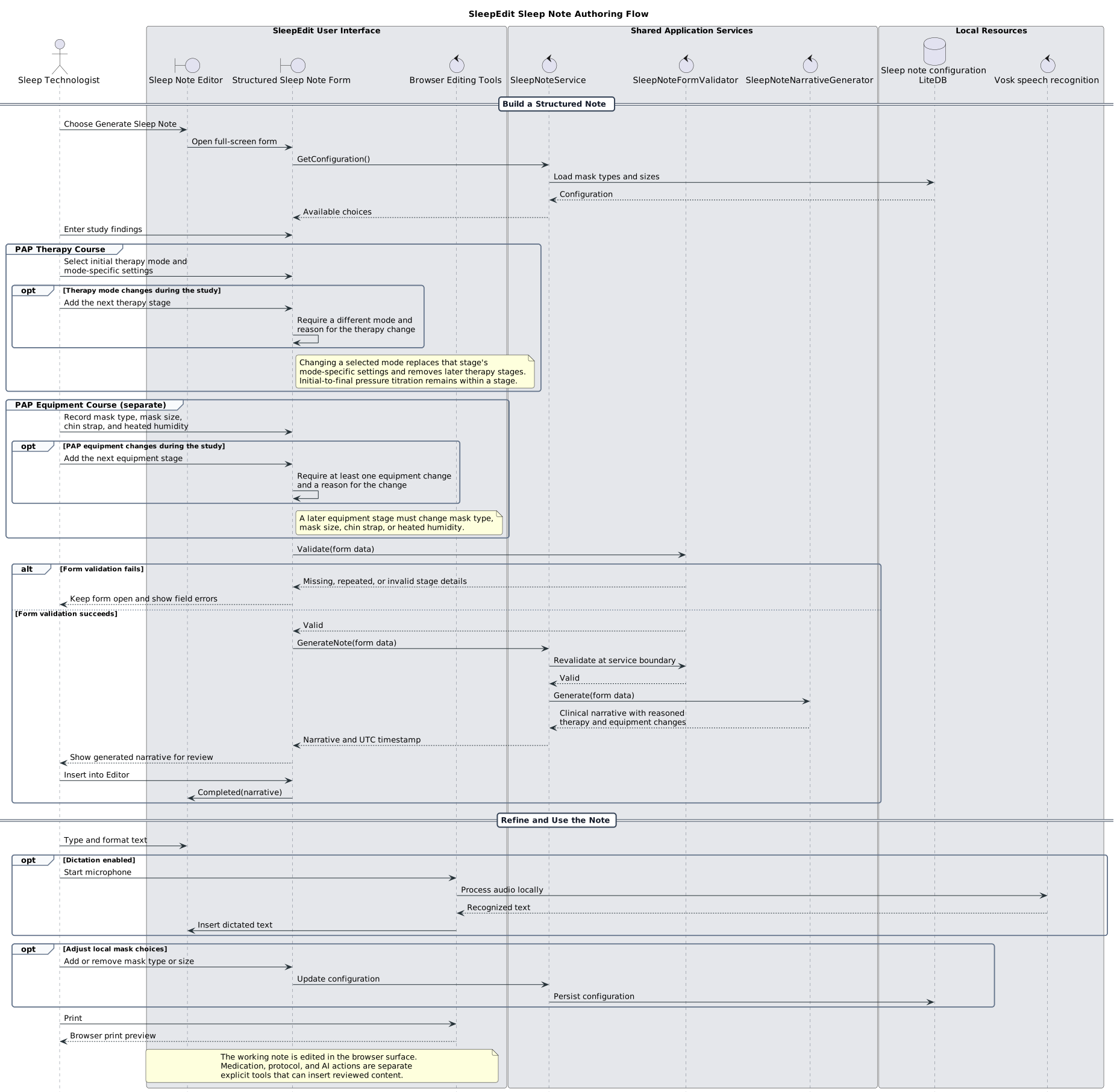
Sleep-note authoring

Structured findings are validated, converted into a reviewable narrative, and inserted only after an explicit user action.
Open full-size SVG
Sleep-note authoring sequence diagram
Form validation, narrative generation, local dictation, configuration, editing, and printing.
3

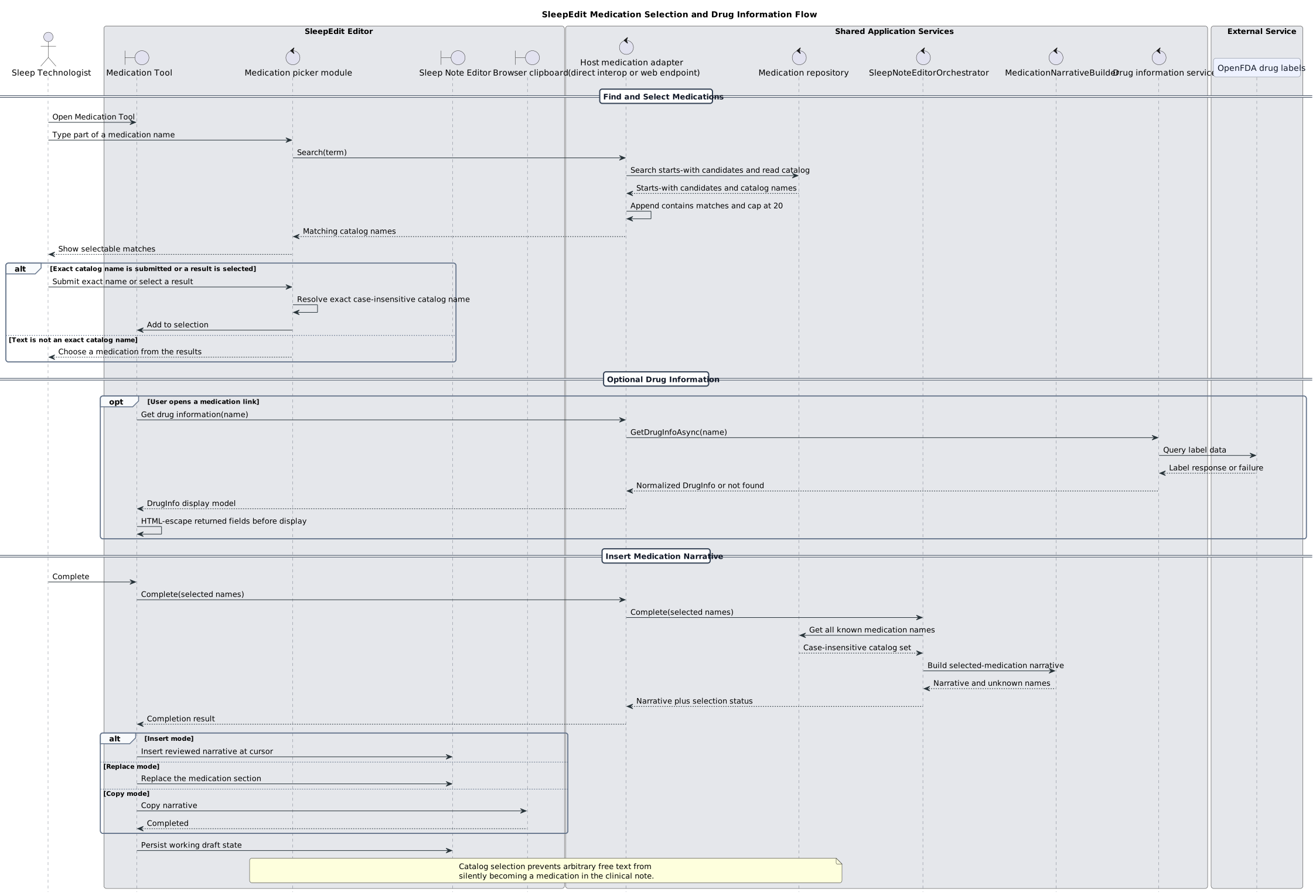
Medication selection and drug information

Medication names must resolve to catalog entries before becoming part of the clinical narrative.
Open full-size SVG
Medication selection and drug information sequence diagram
Catalog search and selection, optional OpenFDA lookup, narrative construction, and insert, replace, or copy behavior.
4

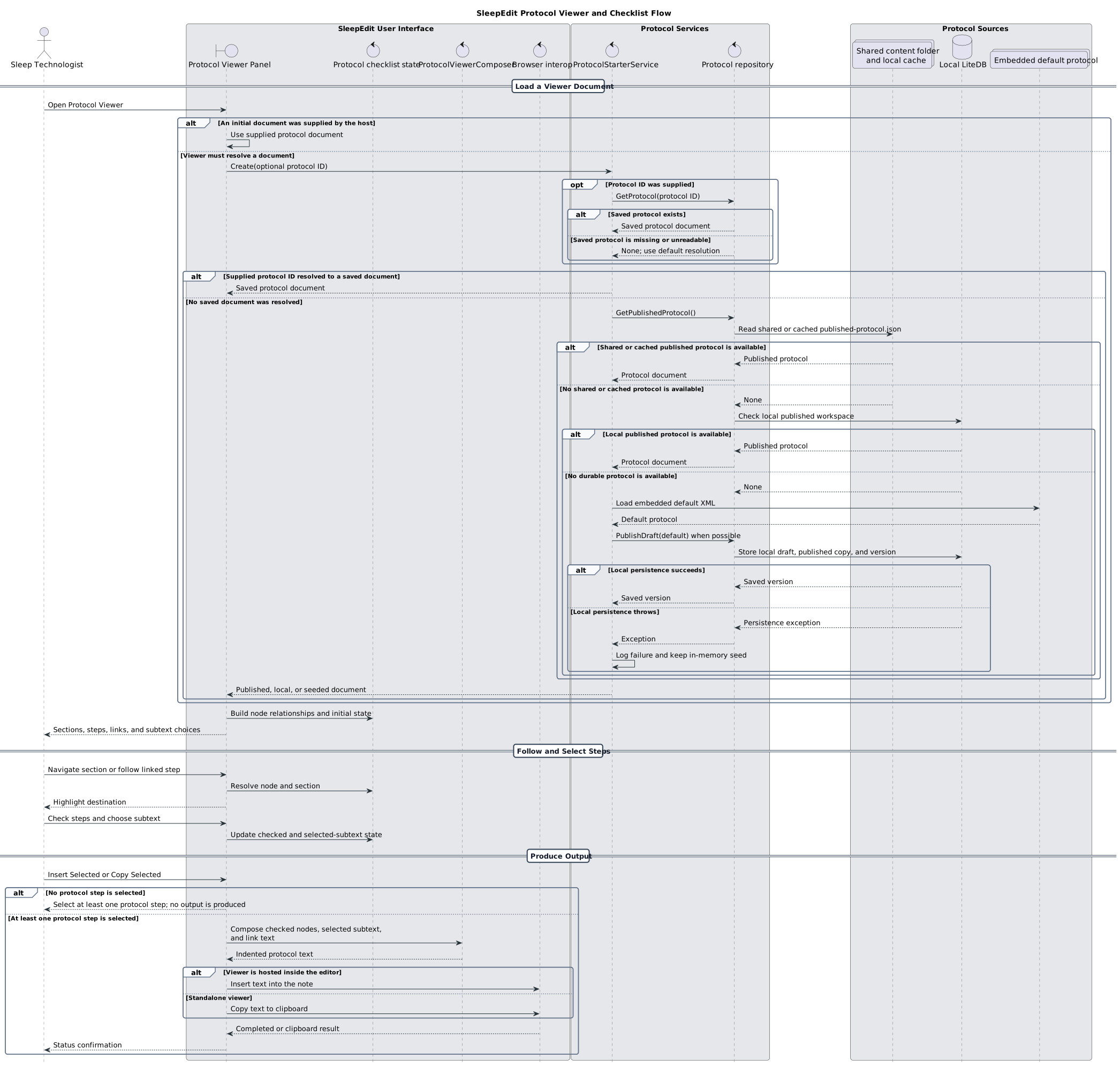
Protocol viewer and checklist

The viewer resolves the best available protocol source, tracks selections, and produces reviewed output.
Open full-size SVG
Protocol viewer and checklist sequence diagram
Host-supplied, saved, shared, cached, local, and embedded protocol resolution followed by checklist composition.

Safe assistance

The AI flow is shown separately because its privacy gates and review-only behavior apply across the authoring surfaces.

5

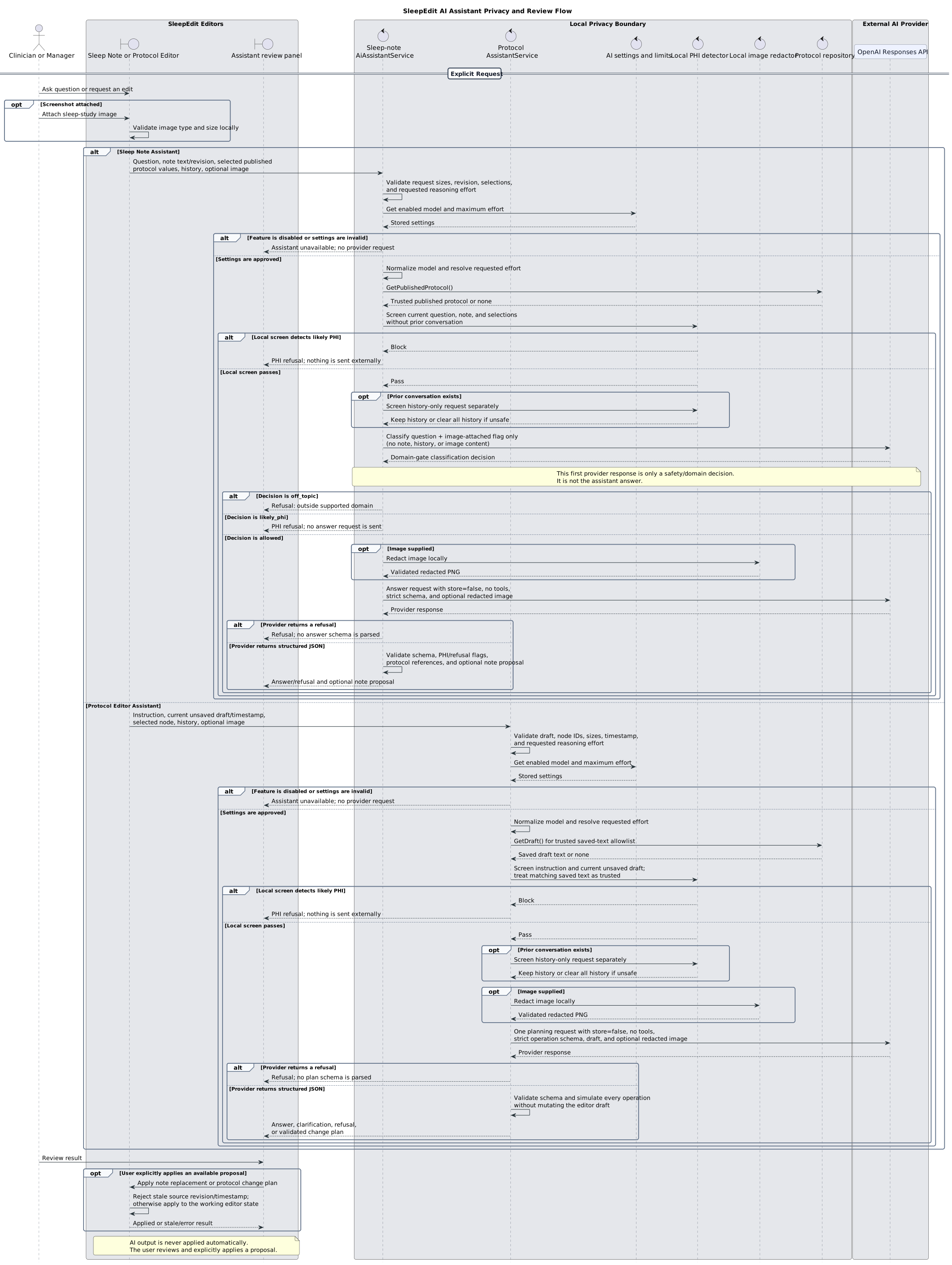
AI assistant privacy and review

Local PHI screening and image redaction occur before provider calls, and proposed changes are never applied automatically.
Open full-size SVG
AI assistant privacy and review sequence diagram
Distinct sleep-note and protocol-assistant paths, minimized provider requests, schema validation, and explicit stale-safe application.

Governance and configuration

Administration flows explain how durable drafts, published content, shared configuration, and local state are managed.

6

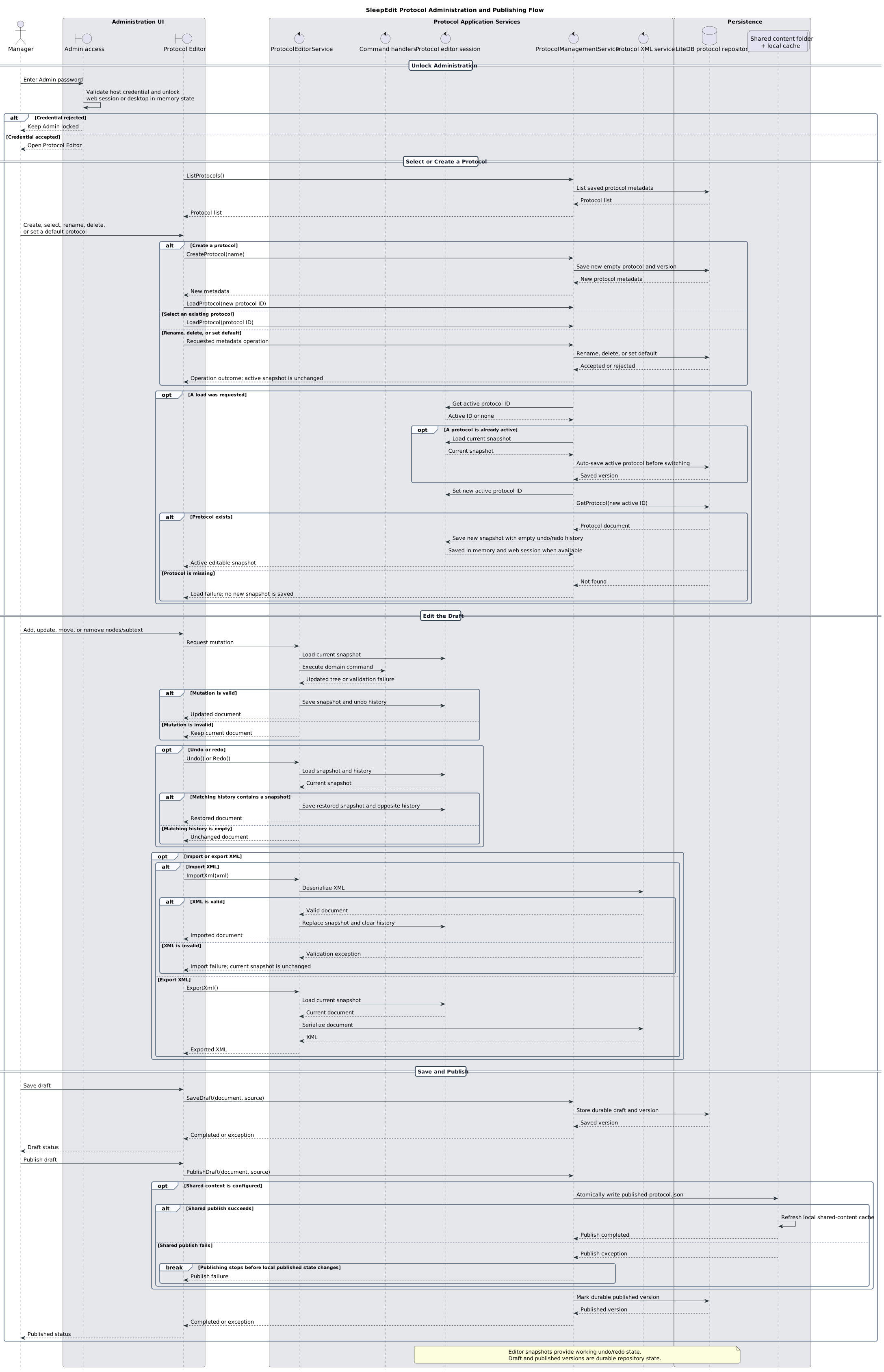
Protocol administration and publishing

Authenticated managers create and edit protocol drafts, use undo and import/export, and publish shared content.
Open full-size SVG
Protocol administration and publishing sequence diagram
Credential gating, protocol selection, editor sessions, command validation, durable drafts, and publication ordering.
7

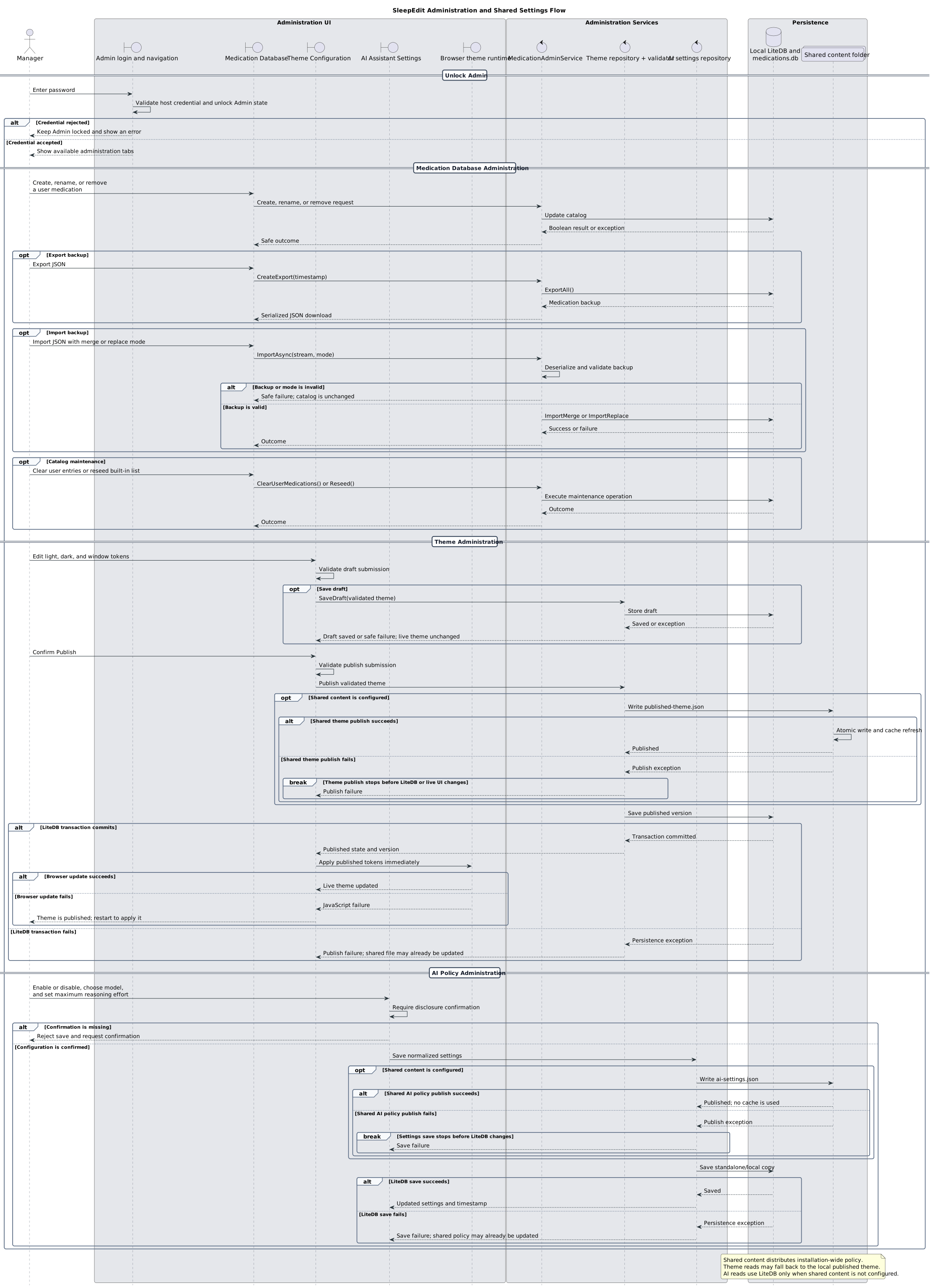
Administration and shared settings

Medication catalogs, themes, and AI policy have distinct validation, persistence, and publication behavior.
Open full-size SVG
Administration and shared settings sequence diagram
Admin unlock, catalog maintenance, theme publication and live update, and installation-wide AI policy.

Desktop deployment

Finish with the machine-level setup that establishes shared content, local secrets, initial policy, and normal desktop startup.

8

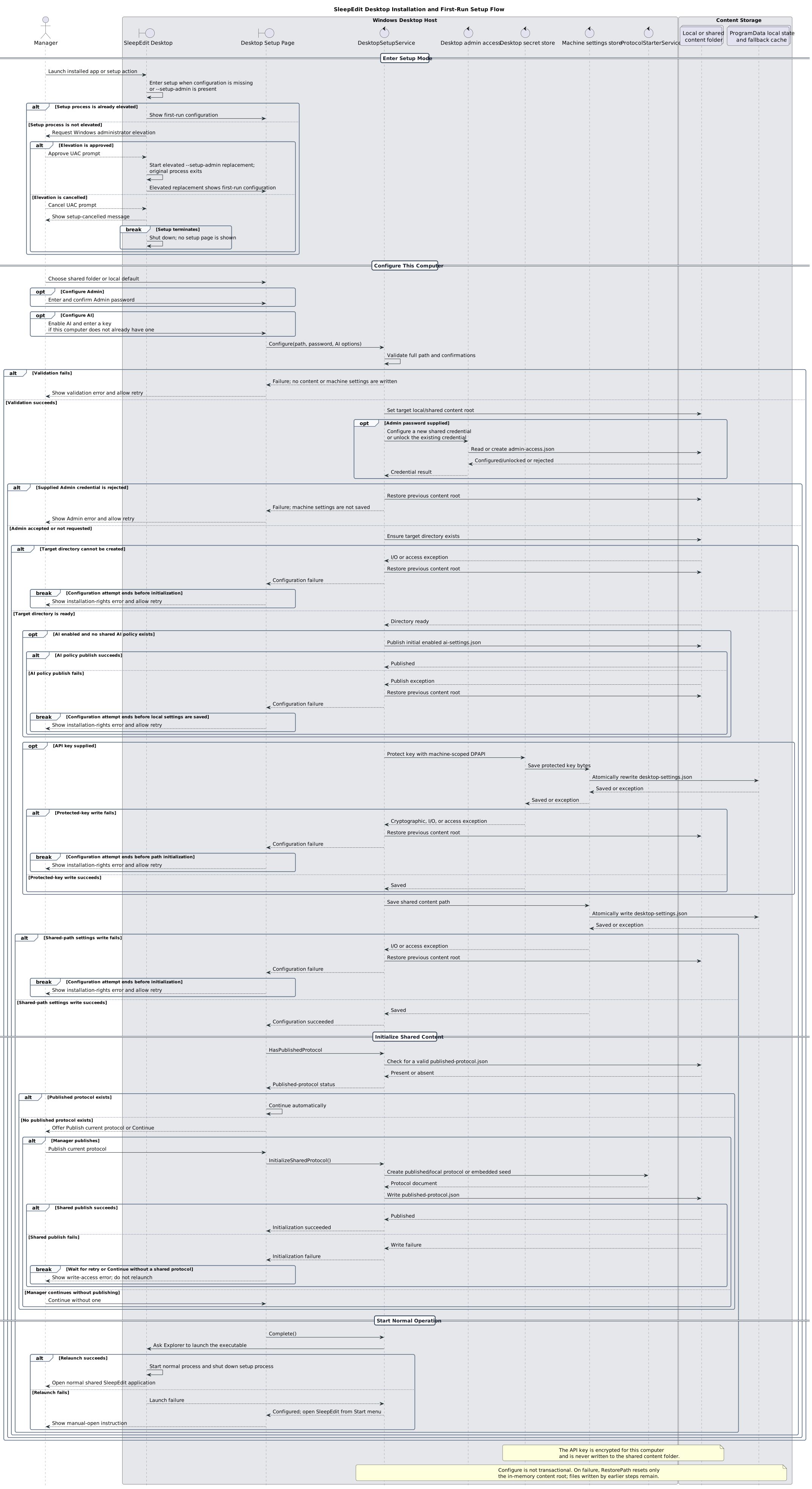
Desktop installation and first-run setup

Elevated setup configures shared content, machine-scoped secrets, initial policy, and optional protocol publication.
Open full-size SVG
Desktop installation and first-run setup sequence diagram
Setup-mode entry, elevation, validation, non-transactional writes, shared initialization, and relaunch behavior.